
Upkeep and support
Shop computer and remote support
I look after the computer in your shop from a distance: I clean it up when it slows down, set up remote access and add the small tools the shop needs. At Meynt Kırtasiye, customers scan a QR code on the counter and send the file they want printed to the shop's computer.
What you get
- Remote access
- A remote connection that does not need someone at the shop to accept it every time.
- Speeding up a slow PC
- Unused preinstalled apps removed, background load and effects turned down, stuck updates fixed.
- Your programs left alone
- The till software and everything the shop works with stay as they are; nothing is removed without asking.
- QR file drop
- Customers send files from their phone, and the files land in a folder on the shop's computer instead of a cloud service.
- Small office tools
- For example, a simple income and expense sheet that works in the Excel version you already have.
- Settings that suit a shop
- Sleep turned off while plugged in, so the computer stays reachable during the day.
How it goes
- 01
You tell me what goes wrong
Slowness, freezing, a program that will not open, or something you want added.
- 02
I connect and look
Once remote access is set up, I check the computer and tell you what I would change and what it costs.
- 03
I fix it with your OK
Changes are made only after you agree, and afterwards I check that your programs still work.
- 04
Help when needed
When something stops working later, you write to me and I connect.
What the time depends on. How long it takes depends on how slow or full the computer is, which programs the shop uses, and whether a tool like the QR file drop is added. We set the time together after I look at the computer.
Work I have done
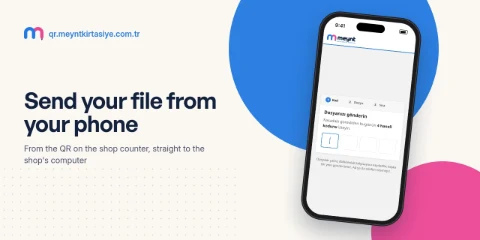
 Meynt Kırtasiye QR Sistemi
Questions
Do you come to the shop?
The work is done remotely. Someone at the shop only has to help once, to install the remote access program; after that I connect without taking anyone's time.
Is it safe to let you connect remotely?
Access opens only with a password or key that you and I know, and you can turn it off whenever you want. I connect only when you ask or when we have agreed on it.
Can the QR system send files straight to the printer?
Either way can be set up. At Meynt Kırtasiye the files go to a folder on the desktop, so the shop sees each file before printing it.
Tell me about it
A few quick choices, then your details. It takes a minute, and I write back by email.
Step 1 of 3