
Software
Custom business tool
Some jobs are too small for a big program and too tiring to keep doing by hand. I write a tool for that one job, set it up on your computer or your customers' phones, and keep it as simple as the job itself.
What you get
- Built for one job
- The tool does the one job you need, so anyone at the counter can use it without training.
- A QR at the counter
- Customers scan a code and send a file or take a queue number from their own phone, with no app to install.
- Stock, orders or appointments
- What you keep in a notebook or a spreadsheet moves to a screen that is quick to search.
- Runs in your shop
- The tool can run on the shop's own computer, so files and records stay on your machine.
- Locked to your shop
- A code that changes every day or a private link keeps strangers out, and customers never see each other's files.
- Remote setup and help
- I install it over a remote connection and can look into problems the same way later.
How it goes
- 01
You show me the job
What is done by hand today, how many times a day, and who does it.
- 02
We agree what the tool does
The screens, where it runs and the price; anything extra waits for later.
- 03
I build and test it
On my own machine first, with real examples from your work.
- 04
Set-up in your shop
I install it remotely and show you how it works; if it needs one, I also design the sign for the counter.
What the time depends on. It depends on how many screens the tool has, where it has to run, and whether it has to connect to anything else, such as a printer or another program. One job, kept small, is usually the quickest to finish.
Work I have done
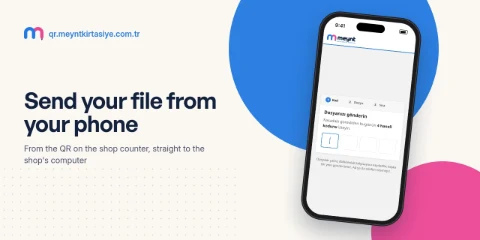
 Meynt Kırtasiye QR Sistemi
Questions
Do my customers have to install an app?
No. A QR code or a link opens a page in the phone's browser; the only program, if there is one, runs on your own computer.
What happens when the shop computer is off?
The page tells the customer, for example by asking them to check at the till. When the computer is turned on again, the tool carries on by itself.
Can it grow later?
Yes. We start with one job, and when a second need comes up we add it to the same tool.
Tell me about it
A few quick choices, then your details. It takes a minute, and I write back by email.
Step 1 of 3